A character's look is a display model: a composite named DisplayModel:<NAME> holding the model references that draw the body (and a hit-collision part bullets hit), plus a skeleton entity that ties them to the character's rig. A Character wears it by naming it in its display_model parameter, without the prefix. The game finds it by that name alone, so a display model has to be shaped exactly as the game's own are.
This page covers the tools for making new looks from existing ones: a variant (a red ally, a character holding its own gun), keeping display models working when they are copied or renamed, and a first-person body the player can wear. To bring a new character in from a model file, see Rebinding onto a Game Skeleton first.
All of them are on the right-click menu of a DisplayModel: composite in the Composite Browser, under Character Look.
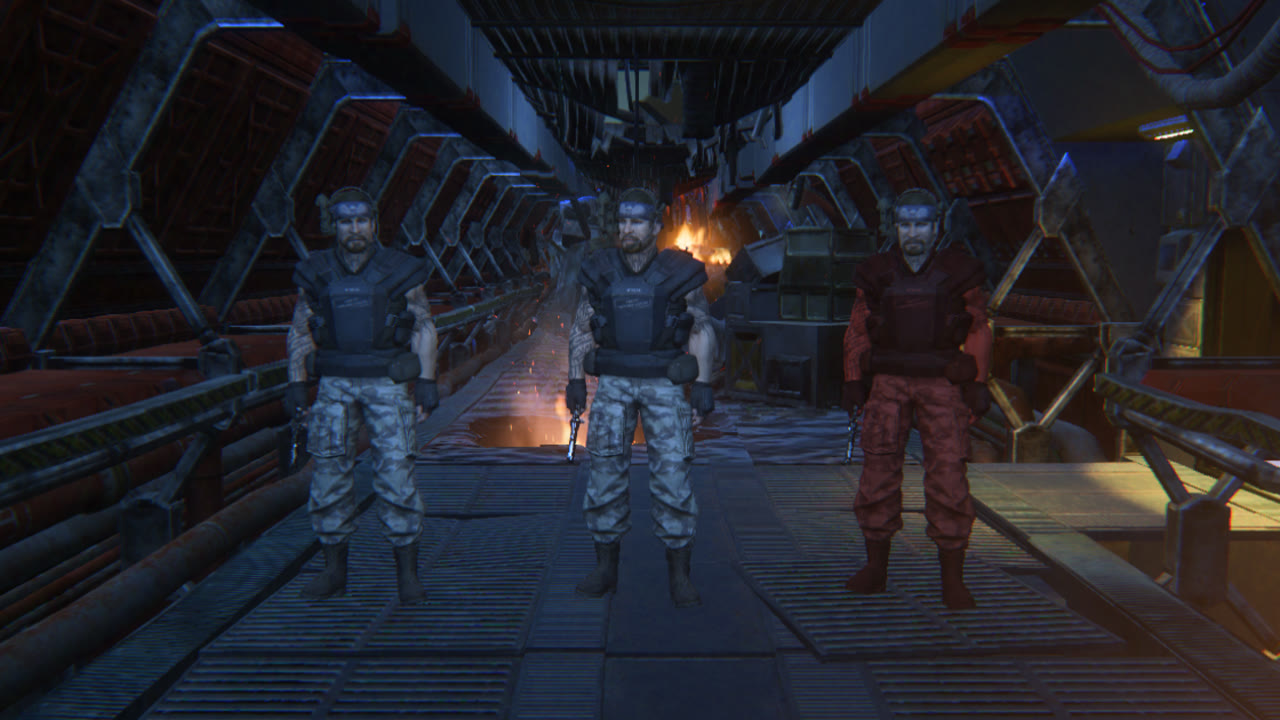
Right-click a display model and choose Character Look > Make Variant (tint, held part)... to make a copy of it under a new name. The copy keeps every part of the original and gets the ids the game needs (see Copying & Renaming), so it can be worn straight away. Check shows what will be made; Make makes it.
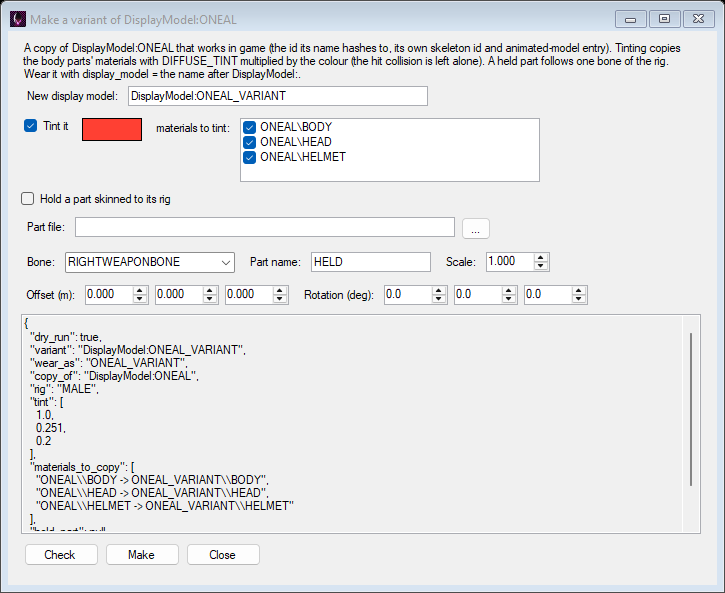
Tick Tint it and pick a colour. Each material the variant's body draws with is copied as <variant>\<material> with its DIFFUSE_TINT multiplied by the colour, and the variant's parts draw the copies, so the original character is unchanged. Untick materials in the list to leave them as they are: tint the clothes and keep the skin, for example. The hit-collision part is never tinted.
A material whose shader has no DIFFUSE_TINT can't be tinted this way; the report says which. The copies are ordinary level materials: edit them further in the Material Editor.
Tick Hold a part skinned to its rig and pick a model file (FBX, glTF, OBJ...) to give the variant something that follows one bone in every animation: a gun in the hand, a holstered pistol, a lamp on the head. Character Look > Add Part Skinned To This Rig... adds one to an existing display model instead.
RIGHTWEAPONBONE or LEFTWEAPONBONE for a hand, HEAD, SPINE3 for the back, HIPS..cs2meta.json written beside it aside (so materials that skin are made for the part rather than the level's own being reused), and give it the position and rotation its model reference has in the weapon's Base_TP composite - for the pistol, rotation -90, 51.05, 128.95. A part whose materials don't skin stays at the rest pose; the report says so.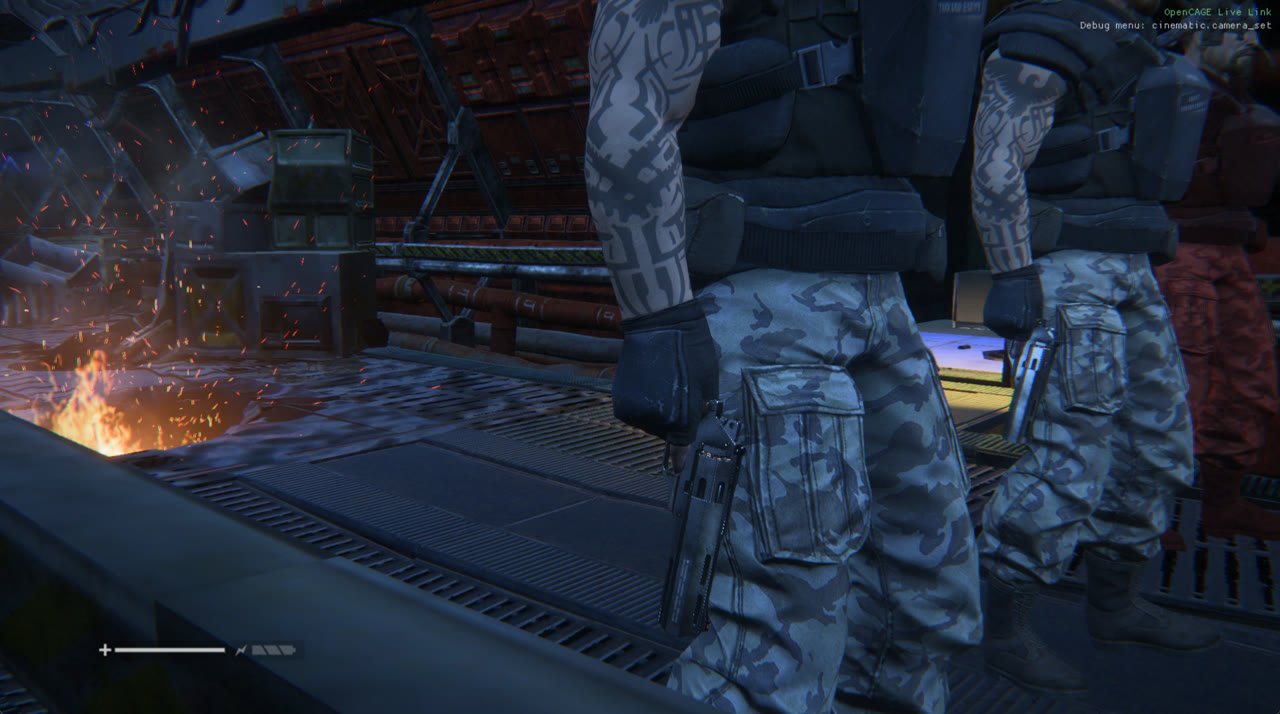
Set display_model to the variant's name without DisplayModel: on the Character, or on the NPC archetype's pin, and set custom_character_type to NONE (otherwise a human NPC dresses itself from the level's accessory sets and ignores the display model). Then Save & Build.
Every display model the game ships has the same shape, and a character wearing one that differs gets no animated model and crashes the game as it spawns:
DisplayModel: (the game hashes the display_model string to find it);EnvironmentModelReference) has the composite's own id, and an animated-model resource with the shipped id;OpenCAGE keeps this shape for you: Duplicate in the Composite Browser (and Create Composite Variant) gives a copied display model its own ids and its own animated model, and Rename moves a display model to the id its new name hashes to. Both undo and redo as one step.
Character Look > Check / Fix Shape compares a display model with the shipped shape and offers to put it right, for one copied or renamed outside OpenCAGE or by an older version.
Renaming a display model doesn't rewrite the characters that name it: change their display_model too. Level Check finds a character asking for a display model the level doesn't have.
The player's camera sits in the character's head, so a whole body worn by the player fills the view with the inside of its own head and neck. The game's own first-person body, Ripley's, has those cut away. Make First-Person Body... makes a cut copy of any body skinned to a character rig, the same way:
HEAD, NECK or a shoulder bone, or carrying more than a quarter of their weight;Open it from the right-click menu of a display model in the Composite Browser, or of a model in the Model Editor. The preview shows the body front and side with what goes in red and the eye (the HEAD bone) in green. Make adds the cut copy of the model and a new display model for it, with the source's hit collision copied in; the original body is not changed.
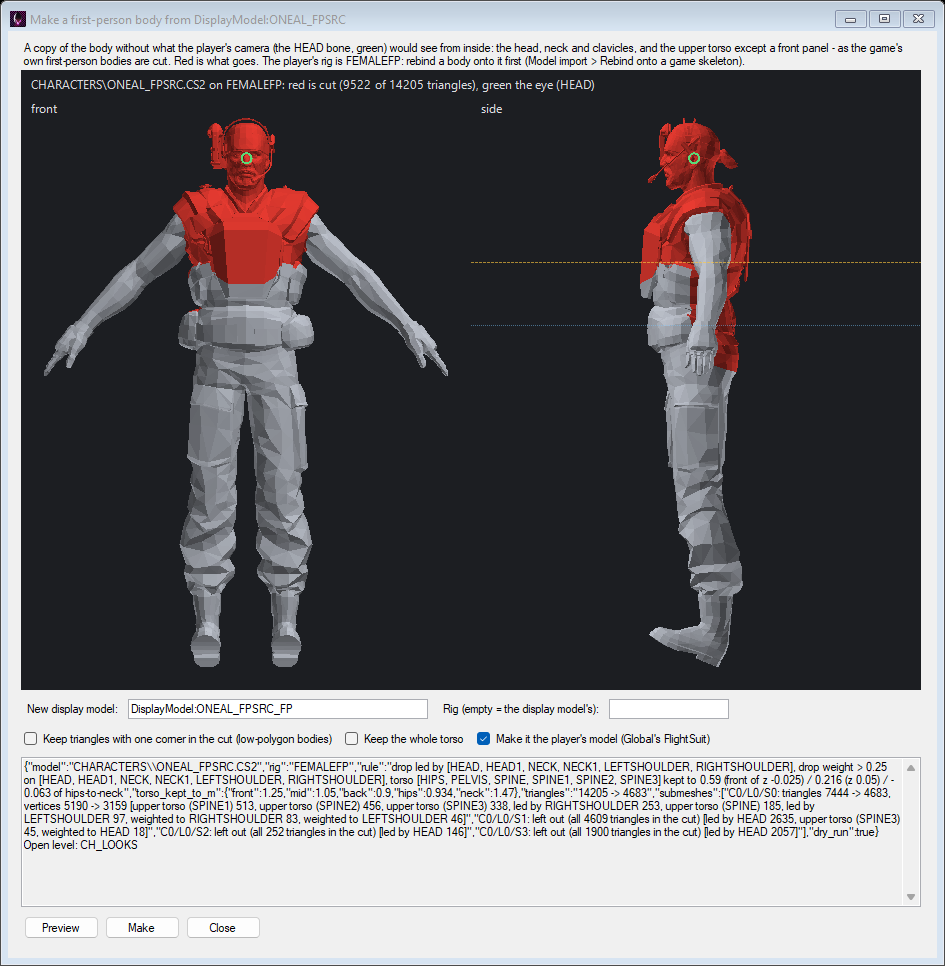
The player's Character wears PLAYER_FP, which means whichever model the level's Global composite registers for the outfit being worn: FlightSuit (Ripley's flight suit, RIPLEY_FP), Spacesuit and FlightSuit_1. Character Look > Use As Player Model points FlightSuit at the display model (one undo step), and Make First-Person Body can do it as it makes the body.
The player is on the FEMALEFP rig (SPACESUITFP in the spacesuit), so a body for the player has to be on that rig: rebind a character onto FEMALEFP when you import it, then make its first-person body.
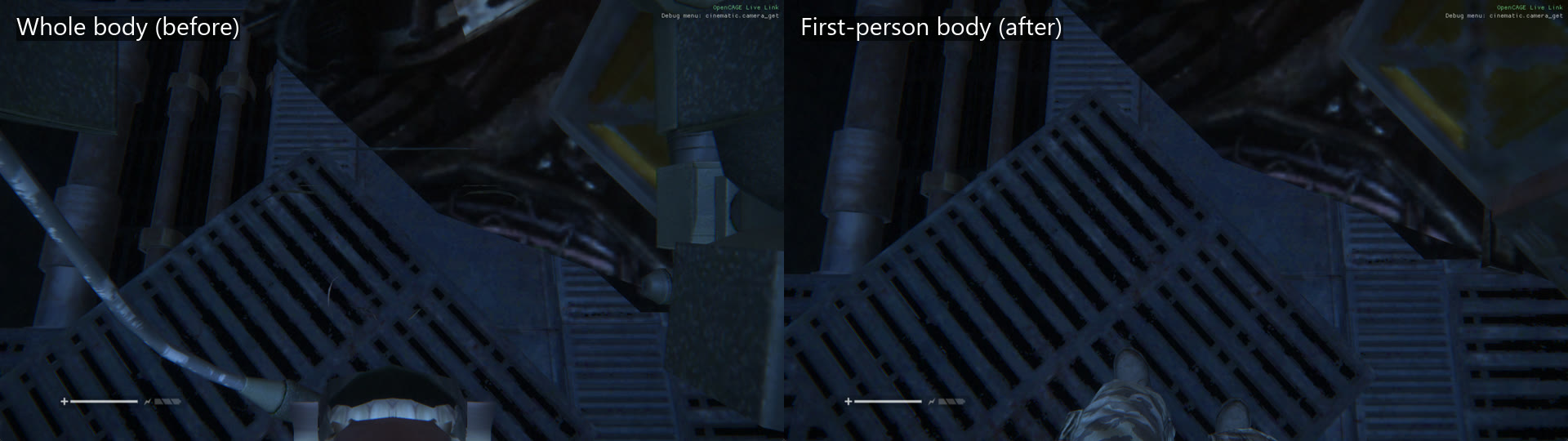
The player wearing an imported character as a whole body (left) and as the first-person body made from it (right), looking down.
create_display_variant, add_held_part, check_display_models, make_first_person_body (with dry_run and picture to see the cut first) and set_player_model do the same as the windows