Alien: Isolation is set almost entirely indoors. No retail level has a sky of its own (the space views are the starfield at the far plane and a few planet models), and the engine has no sun: its lights are spots, omnis and strips. Sky and Outdoor Lighting gives a level both, from the Sky and Outdoor Lighting... button in the Galaxy Editor (View > Galaxy Editor):
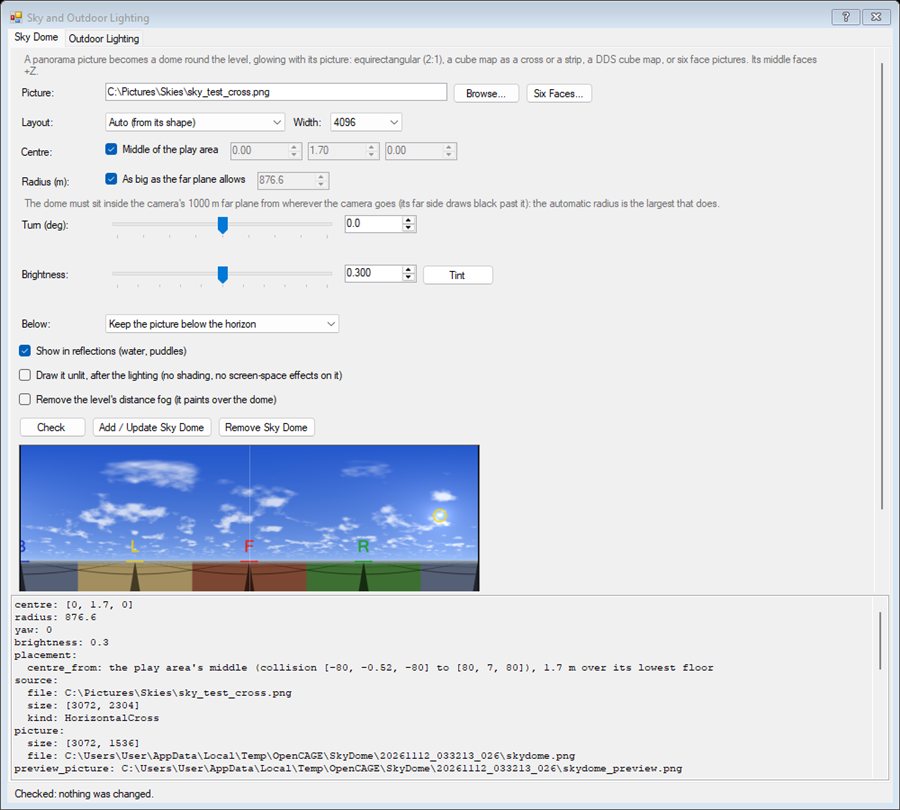
On both tabs, Check / Plan only report what would be done (nothing changes); Add / Apply change the level, each as one undo step. Save and Build to see the result in game.
The middle of an equirectangular picture faces +Z in the level, and turning right moves right across the picture, as in a panorama viewer. Turn rotates the dome about the vertical.
The picture becomes the dome's texture (4096 x 2048 by default; 8192 wide is sharper and takes four times the memory). The dome is a sphere whose texture coordinates follow the direction of each point, so the picture's left and right edges meet without a seam and nothing has to be lined up by hand.
The game's camera draws nothing further away than 1000 m (its far plane). If any part of the dome is further than that from the camera, that part is cut away and the sky shows black there. So the dome has to fit inside 1000 m from every place the camera goes:
Cinematic cameras pick their clip planes by preset: MACRO and CLOSE draw only out to 10 and 100 m, so they never show the sky; MID (the default, 1000 m) and WIDE (5000 m) do.
The dome glows with its picture and is not lit by the level's lights. Brightness is how strongly it glows (the material's EMISSIVE_MULT); the game's automatic exposure adapts to what fills the screen, so judge it in game. A bright photographed sky wants less than a dim painted one. Tint colours the picture itself (the game replaces a material's own emissive tint per placed model, so a tint has to be in the picture).
Below: keep the picture as it is under the horizon, or mirror the sky there - the sky reflected in calm water, darker the steeper you look down - for a level whose sea runs out to the dome. Show in reflections draws the dome in water and puddle reflections too.
The dome's material is a glowing environment material kept out of the lighting bake (a glowing dome in the bake would light the whole level from 900 m away), and the dome casts no shadows and has no collision. Draw it unlit (the default) draws it in the see-through pass, after the level's lighting: drawn with the lit, opaque surfaces instead, the game's screen-space effects read the far dome's coarse depth and drew rings and stripes over the sky (some graphics settings more than others).
Check reads the picture and the level and reports:
FogSetting in the level paints the dome one flat colour - even thin fog with a long reach. Tick Remove the level's distance fog to delete them.ClipPlanesControllers that pull the far plane in, and scenery further out than the dome (it is hidden behind the dome).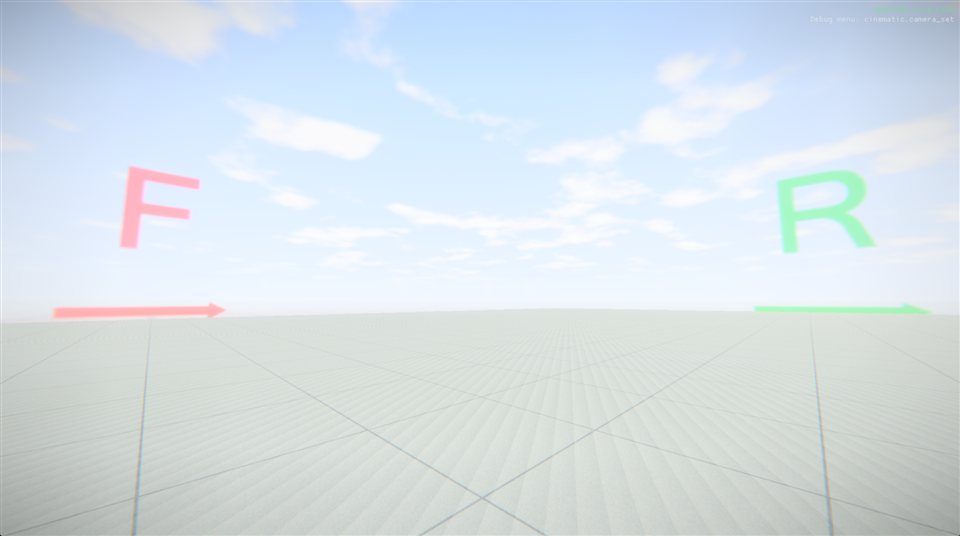
Adding again updates the dome in place: a new picture, a new size or place, a new brightness. Remove Sky Dome takes it out of the level (its model, material and texture stay for a later add).
Pick the Area - the whole level, or a box - and Plan. The area's floors, roofs and walls are read from the level's collision: where each floor sees the sky, which floors are in rooms, where the sun reaches. The plan's map shows it from above: rooms red, covered floor yellow or teal, open floor green (lighter where the sun reaches), the sky lights as white dots with their reach, sun patches as yellow squares and the sun in gold.
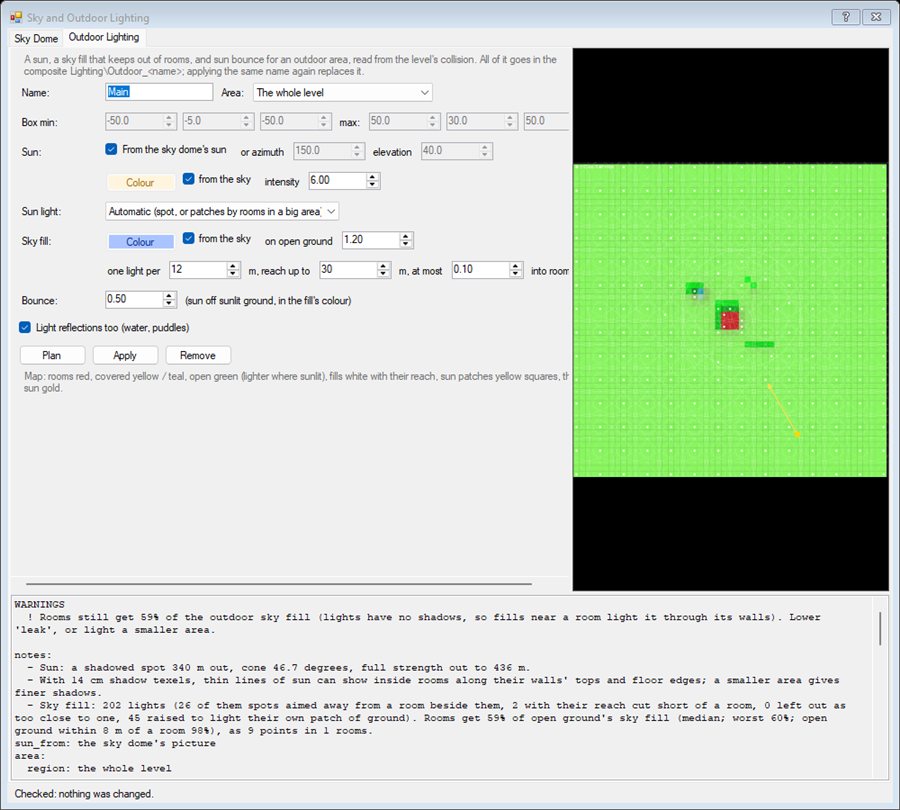
Apply puts every light in one composite, Lighting\Outdoor_<name>, placed in the level's root. Applying the same name again replaces it; Remove takes it out. Light colours are the light's own colour as the game takes it (sRGB, 0-255), so a colour picked from the sky picture goes straight in.
The game has no directional light, so the sun is a shadowed spot light placed far out along the sun's direction (by default three times the area's size away), its cone fitted to the area and at full strength all over it. Because it casts shadows, roofs block it: rooms stay dark, and posts, walls and props throw shadows across the ground. Its reach is kept short of the sky dome, so the dome is not lit.
From the sky dome's sun takes the direction and colour from the dome's picture. Otherwise give the azimuth (degrees from +Z towards +X) and elevation.
One shadow map covers the whole area, so the bigger the area, the coarser its shadows (the plan says how big a shadow texel is). Inside rooms, coarse shadows let thin lines of sun creep in along the tops of walls and the edges of floors: about 13 cm a texel (a 160 m area) leaves faint lines, 27 cm (300 m) lit bands. Changing the shadow's depth bias does not help (tested); a smaller area does.
Sun patches on the floors instead tiles the sunlit floor with shadowless square lights shining straight down - worked out by tracing a ray from every floor cell towards the sun, so nothing lights a room's floor - and stops each one just under the floor it lights, so a room under a sunlit roof stays dark. They need no shadow maps, but they light floors only: walls and props get no direct sun. Automatic (the default) uses the shadowed spot, and switches to patches when the area holds rooms and its shadow map would be coarser than 18 cm a texel.
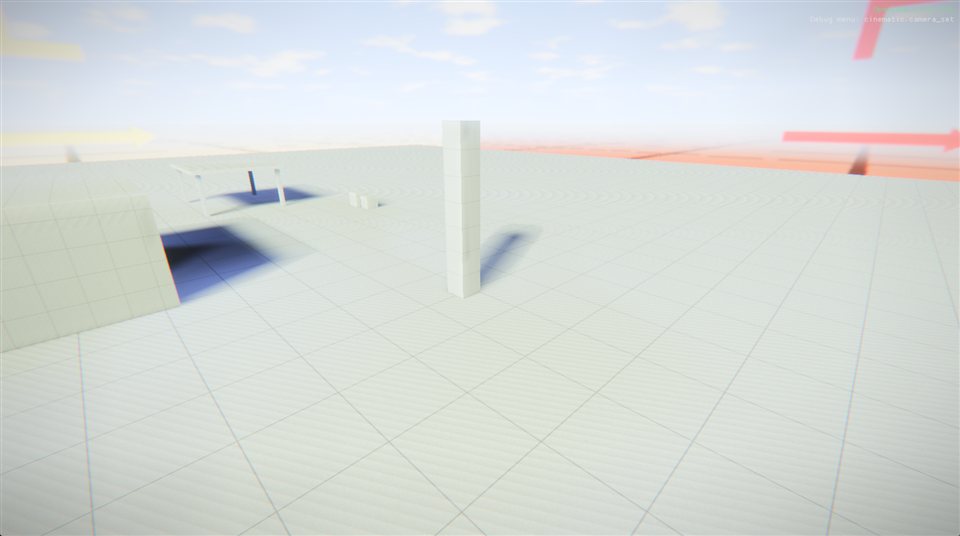
Light from the sky comes from fill lights spread over the area: one over the most open floor of every cell (one light per 12 m by default), plus one for each covered level of a cell with no open floor of its own (under a canopy, on a deck). Their strength is set so open ground gets the on open ground value, and fills under cover are weaker in step with how much sky they see.
The game's lights cast no shadows unless asked, so a fill light next to a building lights the room inside it straight through the wall. So the planner finds the rooms - floors that see almost no sky and have walls round them - and cuts each fill's reach so that at most the into rooms share of its light (10% by default) reaches any point of a room it cannot see. Where the rooms are off to one side, the fill becomes a wide spot aimed away from them instead, keeping its full reach. The ground right beside a building would then get almost no sky, so extra fills there - one every half cell, 3 m up - are always spots aimed away from the building, washing the ground from its walls outwards, and every fill is then raised (at most 2.5 times) towards the target on its own patch of ground. The plan reports how much sky fill the rooms still get, and the ground within 8 m of them, as shares of what open ground gets.
Bounce is the sun's light thrown back off sunlit ground: it is mixed into each fill's colour by how much of its cell is in the sun, so shaded walls next to sunny ground get warmer light.
light.shadow_budget shows which lights got a shadow map. The sun is given a high shadow priority.light.shadow_budget, light.list and the light muting toolsadd_sky_dome and add_outdoor_lighting do the same as the two tabs