Fans, rotors, radar dishes, warning beacons and turning gobo lights all just turn, for as long as the level runs. Rotate Continuously sets that up for a prop, a light or a composite instance without any keyframes: pick the axis it turns about and how fast.
Right-click the entity in the entity list and choose Rotate Continuously... The item shows for one selected ModelReference, LightReference, EnvironmentModelReference or composite instance.
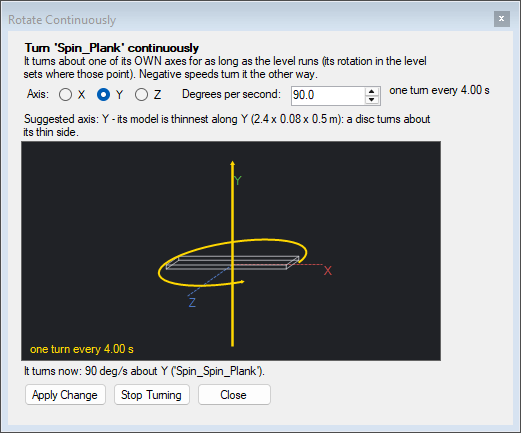
Apply makes it turn, as one undo step; on something already turning it changes its axis or speed. Stop Turning takes it away.
It is built the way the game's own turning props are (the fan and its fan-shaped light in the android lab's storage room): a looping RotateAtSpeed named Spin_ and the entity's name, with its start_pos, origin and Result linked to the entity's reference, started by a ThinkOnce called Spin_Start when the level starts. A light also gets the RotateAtSpeed's on_think linked to its refresh, so it is redrawn as it turns. You can edit those entities in the flowgraph like any other, to start and stop the turning from your script, say.
Save & Build to take it into the game.
An animation inside a composite instance that a CAGEAnimation keys stays at its start for as long as that animation plays. So the dialog refuses an entity whose composite, or a composite holding it, is placed as an instance a CAGEAnimation animates, and says which. Key the turn in that CAGEAnimation instead, or move the entity out of the animated instance.
A prop that turns doesn't take its collision with it: the collision stays where the prop started. Give a turning fan's blades no collision of their own, or collision that covers the whole disc.
add_rotation does the same, and lists what turns in a composite