Crates that splinter when they're shot, a barrel that bursts, a panel that falls apart when your script says so: Make Breakable cuts a placed model into chunky pieces and wires it up so that, when it breaks, the model disappears and the pieces fly out from where they were, fall and settle as physics debris.
Right-click a ModelReference in the entity list and choose Make Breakable... To cut a model into pieces without wiring anything up, right-click it in the Model Editor and choose Fracture into Debris... (see below).
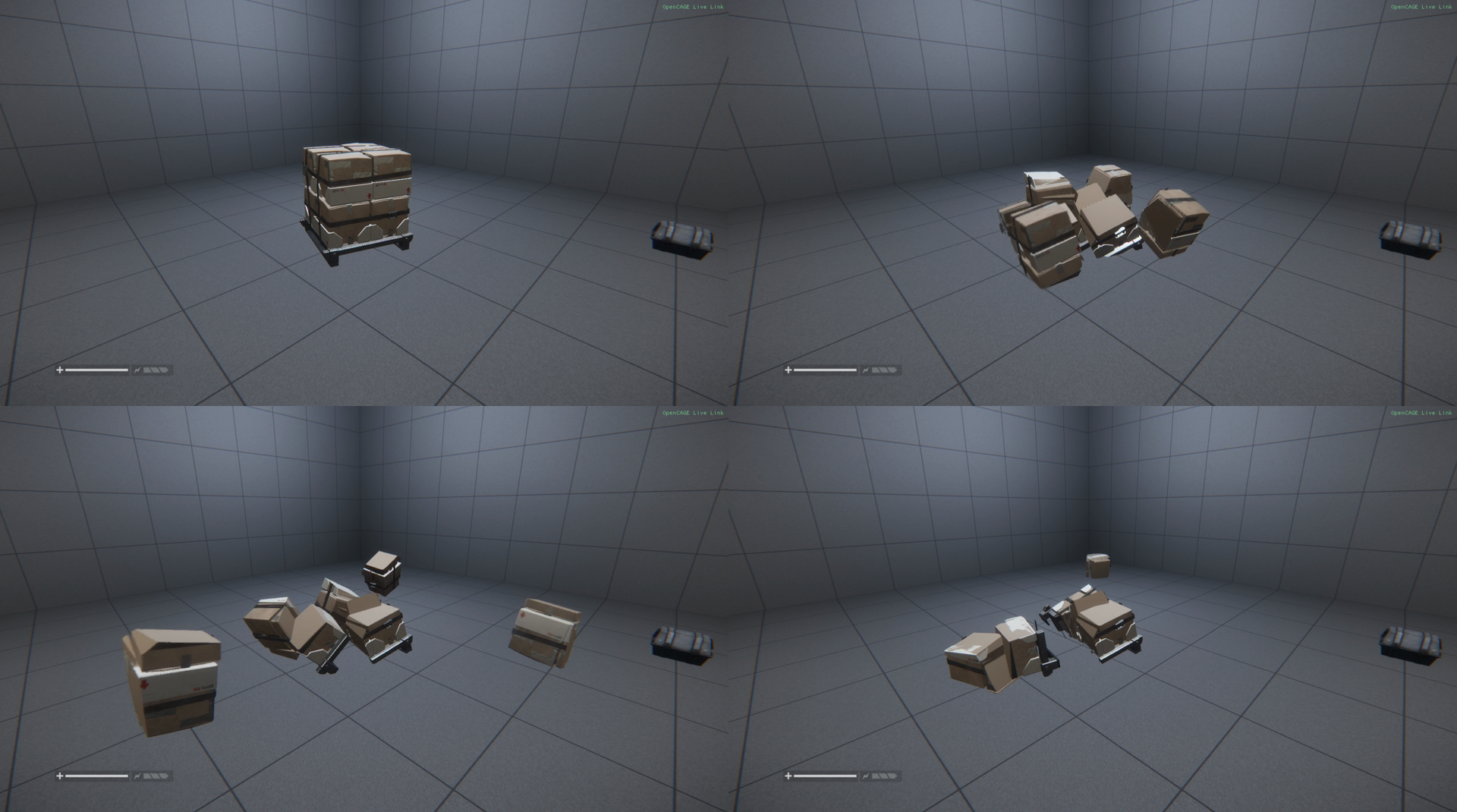
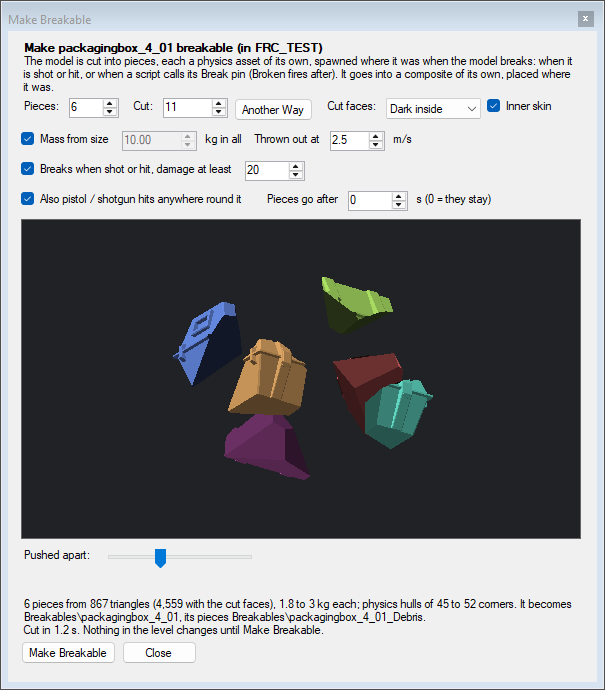
The window cuts the model as you change the settings and shows the pieces pushed apart, each in its own colour with its cut faces darker. Nothing in the level changes until you press Make Breakable.
Making it can't be undone in full: the piece models, their collision and their physics are added to the level like an import. The script changes are ordinary undo steps.
Each piece is a physics prop of its own, built the way the game's moving props are (see Physics Props That Move), in a composite Breakables\<name>_Debris\<name>_NN:
ModelReference drawing the piece's own model (in the level's models as DEBRIS\<name>\<name>_NN, with the original's materials on it), marked is_debris as the game's own broken pieces are, and keyed by its body's name so a spawned copy finds it;PhysicsSystem with one body: the piece's convex hull, at most 64 corners;ThinkOnce called Kick that gives it a PhysicsApplyImpulse outwards as it appears.The model itself goes into a composite of its own, Breakables\<name>, placed where it was (links into it are kept). That composite holds, for every piece, an is_template instance of it placed where the piece sits in the whole model and an AssetSpawner that spawns it, and the break itself: a LogicOnce called BreakOnce. When it fires, the model hides and disables (its collision goes with it, and so does any collision-only partner beside it, such as the game's Collision01_COL), the composite's Broken pin fires, and a tenth of a second later (a LogicDelay called SpawnDelay, so the model's collision is gone first) every spawner spawns its piece. The pieces cost nothing until then.
Save & Build to take it into the game.
The breakable composite has two pins: Break, a method to call, and Broken, which fires once it has broken. Link a trigger, a timer or anything else to Break on its instance, and link Broken to whatever should happen after (an alarm, an objective, a door). It breaks once; calling Break again does nothing.
Shots and hits reach it the way they reach the game's breakable bottles: the model's on_damaged through a WEAPON_DamageFilter with the damage you chose, plus an AreaHitMonitor round it when Also pistol / shotgun hits is ticked. Edit or remove those entities like any others.
In the Model Editor, right-click the model and choose Fracture into Debris.... The same window cuts the model, and Make Debris Pieces makes only the piece composites (Breakables\<model>_Debris), placing nothing. Use them for effects of your own: place an instance of a piece marked is_template, and an AssetSpawner with allow_physics ticked whose asset is linked to that instance spawns the piece when its spawn is called. The piece appears where the template instance is placed, not where the spawner is (the game's own vending machines work the same way). To put a piece back where it was in the whole model, place its template instance at the piece's pivot relative to the model (the AI tool fracture_model reports every pivot).
make_breakable does the same as the window (with dry_run to see the cut first, and preview for a picture of the pieces), fracture_model makes the pieces only, and list_breakables lists the level's breakables