To edit loadscreen movies in OpenCAGE navigate to View > Configuration Editors > Core Game > Loadscreen Movies.
From here you will be presented with a variety of options for movie playlists used in the loadscreen, relating to the selected playlist in the dropdown at the top of the window.
Select a playlist, modify its properties, and press Save to update them in-game.
Read on to see a list of available properties with information about each.
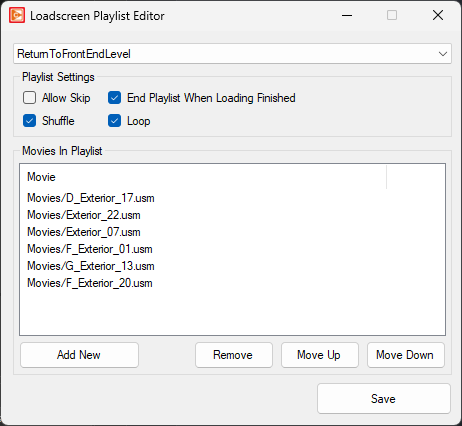
Allow Skip
bool
End Playlist When Loading Finished
bool
Shuffle
bool
Loop
bool
Here the list of movies to play within the playlist are defined.
To add a new movie, select 'Add New'. To remove a movie select 'Remove'.
You can also re-order the playlist using 'Move Up' and 'Move Down', but note that if 'Shuffle' is checked (see above) the order will be randomised.
