To edit craftable blueprint recipes in OpenCAGE navigate to View > Configuration Editors > Inventory > Blueprint Recipes.
From here you will be presented with a variety of options which relate to the selected blueprint type in the dropdown at the top of the window.
Select a blueprint type, modify its properties, and press Save to update them in-game.
Note that adding/removing items within the recipe will not immediately reflect in the game's UI. You will need to manually edit the radial menu using the UI editor!
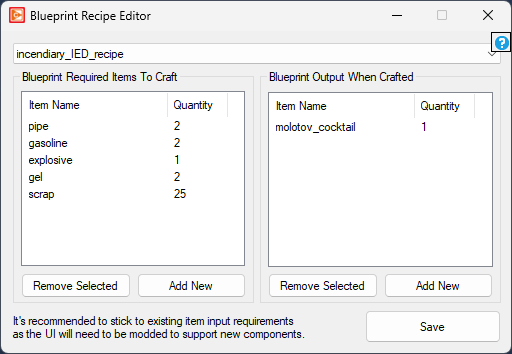
This list defines the required input inventory items for the blueprint and their quantities.
This list defines the inventory items created by a successful use of the blueprint.
